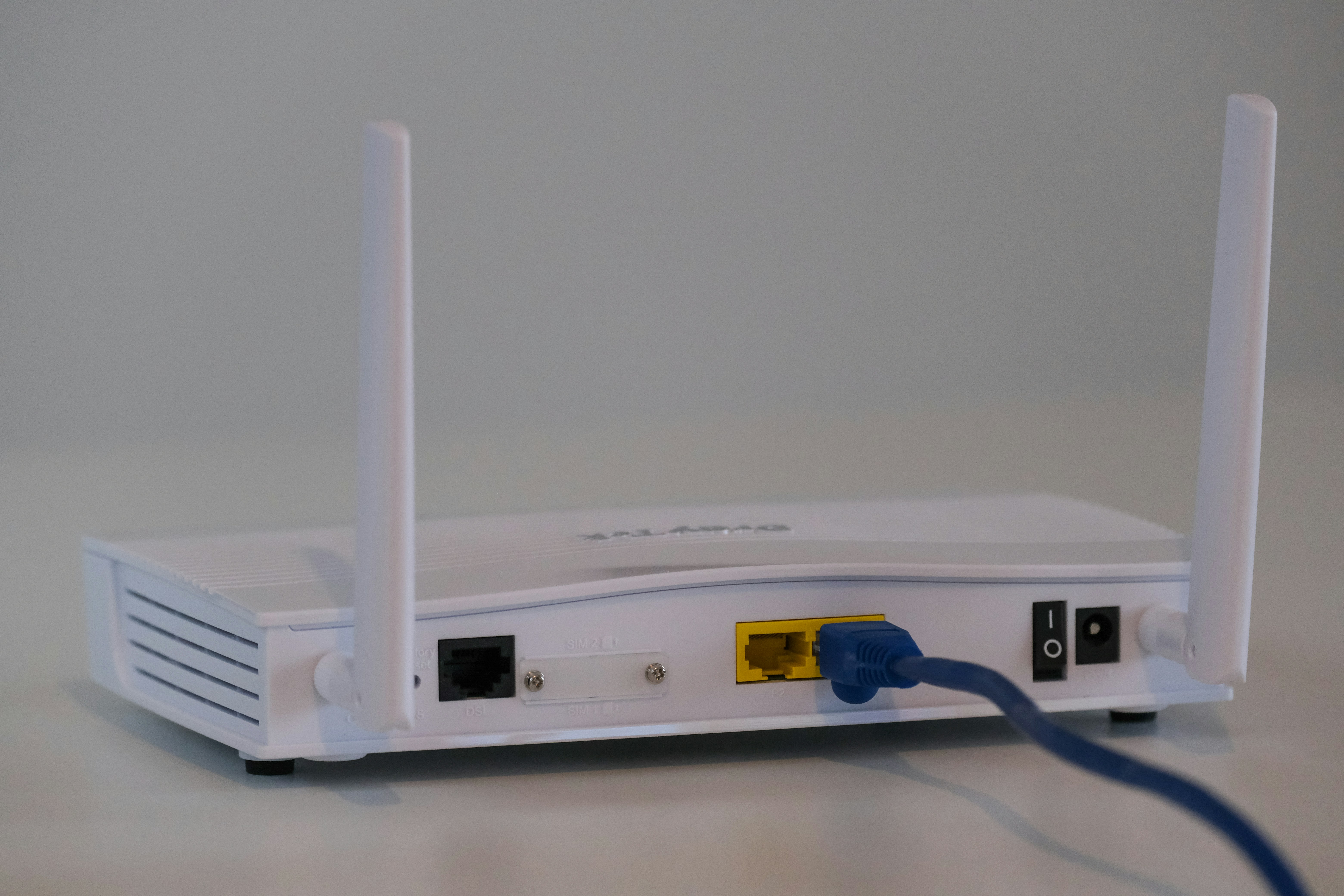
Most people have had this moment: the internet plan promises 500 Mbps, a speed test in the living room confirms it, and a video call from the bedroom still stutters anyway. That gap between the number on the bill and the actual experience in the house is one of the most common sources of internet frustration, and it rarely has much to do with the provider at all.
The plan speed is not the room speed
Internet providers measure the speed you are paying for at the point where the connection enters your home, usually right at the modem. Once that signal has to travel wirelessly through walls, floors, furniture, and a house full of competing electronics, it degrades before it ever reaches a laptop or phone. A router broadcasting on the 2.4GHz band can reach further through walls but tops out at lower speeds, while the faster 5GHz and 6GHz bands trade that range for bandwidth. Stand two rooms away from the router and it is entirely possible to lose more than half the speed being paid for, even though nothing is technically wrong with the connection.
Every device is sharing the same pipe
A gigabit connection sounds enormous until it gets divided across everything currently online in the house. Streaming shows, a laptop backing up to the cloud in the background, smart doorbells, game consoles downloading updates, and a phone or two are all pulling from the same shared bandwidth at once. None of these devices are necessarily hogging the connection on purpose, but they add up quietly, and the device someone happens to be using in the moment often ends up with whatever bandwidth is left over.
Older hardware becomes the bottleneck
Routers age in ways that are easy to overlook. A router bought five or six years ago was built for the number of devices and the wireless standards of that era, not for a household that now includes smart speakers, cameras, thermostats, and multiple streaming boxes. Even when an internet plan gets upgraded, the router handling that traffic often does not, and it quietly becomes the actual limit on speed rather than anything the provider is delivering.
What actually helps
A few practical changes tend to matter more than chasing a bigger number on the monthly bill. Placing the router in a central, open, elevated spot instead of a closet or corner noticeably improves coverage. Wiring stationary, heavy-use devices like a desktop, TV, or game console directly with an ethernet cable takes pressure off the wireless network entirely. Larger homes usually benefit from a mesh system rather than one router straining to cover every room, and keeping router firmware updated closes both performance and security gaps that build up over time. None of these fixes require paying for a faster plan; they just make better use of the speed already being paid for.
Before upgrading to a faster and more expensive internet plan, it's worth asking whether the slowdown is actually happening on the way into the house or somewhere between the router and the device complaining about it. In most homes, it's the second one, and it's usually the cheaper problem to fix.
Related video
For readers who prefer to see the idea explained visually, this related YouTube video is included as a helpful companion to the article.
Video credit: Related YouTube explainer on internet and Wi-Fi speed via YouTube. Embedded for reader education and context.
Reader-focused deep dive
The everyday problem
The reason home Wi-Fi speed feels confusing is that most people meet it through small daily annoyances rather than through a neat technical definition. A setting changes after an update, a device behaves differently in another room, a subscription price appears without much warning, or a tool that looked simple starts asking for choices that sound more technical than useful. That is why a good explanation has to begin with the ordinary reader, not with the marketing phrase. In real life, home Wi-Fi speed matters because it affects the way someone works, studies, relaxes, protects a private account, or decides whether a purchase is worth the money.
A practical way to think about it is to ask what problem the technology is actually solving. If the answer is clear, the rest becomes easier. If the answer is vague, the smartest move is usually to slow down and look for the hidden trade-offs. A family can have a fast internet plan and still struggle because the signal path inside the home is messy. The goal is not to chase the newest option, but to understand the point at which the technology becomes useful enough to change a habit.
What is really happening underneath
Your internet plan, modem, router, wireless band, distance, walls, interference, and device age all work together before a page loads or a video call stabilizes. This does not mean the average user needs to memorize every specification or setting. It does mean that a little context prevents bad decisions. Many tech frustrations come from expecting one part of a system to fix a problem caused by another part. A faster device cannot always repair a weak connection. A privacy tool cannot protect information that was already shared. A smarter assistant cannot understand a messy instruction if the task itself has no clear target.
The useful question is always, "Where is the bottleneck?" Sometimes the bottleneck is hardware. Sometimes it is software design, network quality, account security, battery health, business pricing, or simple human behavior. Once you identify that bottleneck, you stop wasting money on upgrades that only look impressive on paper.
The signs that matter
Readers should pay attention to patterns instead of one-off moments. A single slow download, missed notification, bad answer, or weak gaming session does not prove that a product is broken. Repeated behavior in the same situation tells you much more. If speed is good beside the router but weak in bedrooms, the internet plan is probably not the main issue. If every wired device is slow, the problem may be the provider, modem, or plan. That kind of simple observation is often more useful than a perfect benchmark because it reflects the way the technology behaves in your actual home, office, phone, or routine.
It also helps to separate comfort from necessity. Some upgrades make life nicer without being urgent. Others reduce risk, save meaningful time, or remove a recurring problem. If a change only sounds exciting because it is new, it deserves a pause. If it solves an issue you already feel several times a week, it is worth taking seriously.
Common mistakes to avoid
The biggest mistake is buying a more expensive plan before testing router placement, device band, cable quality, and the number of connected devices. Another common mistake is assuming that a single product can remove every compromise. Technology almost always trades one strength for another. More speed can mean more heat. More automation can mean less control. More convenience can mean more subscriptions. More security can mean a few extra steps. A smart user does not avoid trade-offs; a smart user chooses the trade-offs they can live with.
Before changing settings, buying hardware, or trusting a new service, write down the exact outcome you want. Do you want fewer interruptions, better privacy, smoother performance, lower cost, or easier sharing with family members? The answer changes the recommendation. Without that goal, even good advice becomes random.
How to make a better decision
A better decision starts with a small test. Try the free setting before paying for the premium one. Move the device before replacing it. Check the account controls before installing another app. Compare the old habit with the new one for a week. Run one test beside the router, one test in the slow room, and one wired test if possible. Those three results usually reveal where the slowdown begins. Small tests are boring compared with dramatic upgrades, but they protect your money and reduce regret.
If you do decide to spend, look for durability and support rather than only headline features. A product that stays useful for three years is usually better value than a flashy one that solves a problem for a month. Good documentation, clear settings, regular updates, and easy account recovery often matter more than the feature shown in the advertisement.
Privacy, safety, and trust
Router apps and speed-test tools are useful, but they also collect technical data. Use reputable tools and avoid installing random booster apps that promise impossible speed gains. This is especially important because modern tech is connected. A phone setting can affect a cloud account. A browser extension can see pages. A game account can hold payment details. A productivity app can store private work. Even when the topic is not obviously about cybersecurity, trust is part of the story.
The safest habit is to give tools the least access they need to do the job. Review permissions, use strong sign-in options, avoid unknown downloads, and keep recovery details current. These steps are not glamorous, but they prevent many of the problems that make technology feel hostile later.
What this means for everyday users
For most readers, the best answer is not extreme. You do not need to reject every new tool, and you do not need to adopt every new trend. The healthier approach is selective curiosity. Try what clearly improves your life, ignore what only creates pressure, and revisit decisions when your needs change. A calmer home network usually comes from placement, coverage, and realistic expectations more than from chasing the largest number on a bill.
The technology world moves quickly, but your personal needs usually move more slowly. That is good news. It means you can make calm decisions. When you understand the basics, you become less dependent on hype, less vulnerable to confusing claims, and more confident about choosing the tools that actually fit your day.
One final practical rule is to judge home Wi-Fi by the experience it creates after the first week. The first day often feels exciting because everything is new, but the real test is whether it still helps when the novelty fades. If it saves time, reduces confusion, protects something important, or makes a daily task easier without demanding constant attention, it has earned its place. If it adds another thing to manage, another bill to remember, or another setting that causes anxiety, it may not be the right fit yet.
Editorial note: This guide is written for everyday readers. It focuses on practical understanding, safe choices, and clear trade-offs rather than hype.
Extra troubleshooting checklist before you pay for more speed
Before calling the provider or upgrading the plan, it helps to run a calm checklist. First, test the connection beside the router and then test again in the room where the problem happens. If the number drops sharply only in that room, the issue is probably coverage, not the internet plan. Second, check whether the slow device is using 2.4GHz, 5GHz, or 6GHz Wi-Fi. The 2.4GHz band reaches farther but can feel crowded and slow, while 5GHz and 6GHz are faster but easier to block with walls and distance.
Third, look at what else is happening in the house. A game console downloading a huge update, a cloud backup running in the background, security cameras uploading clips, or several televisions streaming at once can make a good connection feel weak. This is not always obvious because the device causing the load may be in another room. Router apps sometimes show connected devices and current usage, which can make the situation clearer.
Fourth, restart equipment in the right order. Unplug the modem first, wait a minute, plug it back in, let it fully reconnect, and then restart the router. Randomly restarting everything at once can work, but doing it in order makes it easier to spot whether the modem or router is the weak point. If the same issue returns every day, a restart is only a temporary clue, not a real fix.
Fifth, update router firmware and remove settings you do not understand from old troubleshooting attempts. Many homes carry years of messy network changes: old guest networks, strange channel settings, forgotten extenders, or duplicate Wi-Fi names. A cleaner network often performs better because devices know where to connect and the router can manage traffic more predictably.
Finally, think about placement. A router hidden in a cabinet, behind a television, beside thick walls, or near appliances is being asked to do a difficult job. Moving it to a central open position can improve daily speed more than buying a bigger plan. If the home is large or has concrete walls, a mesh system may be the sensible upgrade because it solves coverage instead of simply increasing the speed entering the house.
The main lesson is simple: paid speed is only one part of the experience. The path from the modem to the device matters just as much. Once readers understand that difference, they can fix Wi-Fi problems with less guessing, less frustration, and fewer unnecessary monthly costs.
When a new router is actually worth it
A new router is worth considering when the old one no longer matches the way the house uses the internet. If the router is more than five years old, struggles when many devices are connected, does not receive firmware updates, or lacks modern Wi-Fi standards, it may be limiting the experience even when the internet plan is good. This is especially true in homes where people work remotely, attend video classes, stream high-resolution video, or play online games at the same time.
However, buying the most expensive router is not automatically the answer. A small apartment may need one well-placed router, while a larger home may need mesh coverage. A gaming router may help a specific player, but it will not fix a bad modem signal or a crowded internet plan. The right purchase depends on the shape of the home, the number of devices, and the kind of problems people actually notice.
Readers should also avoid speed claims that sound too perfect. Router boxes often advertise theoretical maximum speeds that require ideal conditions and compatible devices. Real-world performance is lower because walls, distance, interference, device radios, and software behavior all reduce the number. A more honest way to choose is to read long-term user feedback, check update history, and confirm that the router supports the internet speed already being paid for.
For many households, the smartest upgrade is not faster internet but better distribution of the internet already available. That might mean one ethernet cable to a work desk, a mesh node in a hallway, or a router placed away from metal shelves and thick furniture. These simple decisions often create a smoother everyday experience than chasing a plan speed that only appears beside the modem.
Bottom line for everyday homes
If Wi-Fi feels slow, do not start with panic or a bigger monthly bill. Start with evidence. Test near the router, test in the weak room, notice which devices are active, and check whether the problem happens at the same time each day. Those small observations turn a vague complaint into a fixable pattern. Once the pattern is clear, the next step is usually obvious: move the router, wire one heavy device, reduce background traffic, update the hardware, or add coverage where the signal is genuinely weak.
That practical approach is better for readers because it respects both time and money. A home network does not need to be perfect to be good. It only needs to be reliable enough for the real people using it.